
CRM Development
CRM Requirements Checklist Before You Build or Configure
A useful CRM plan starts with the people, records, decisions, and handoffs the system must support, not a generic list of features.

Start with the business process, not the feature list
A CRM requirements document should explain how work moves through the business. It should identify who uses the system, what they manage, which decisions matter, where handoffs happen, and what must remain visible after work changes hands.
This discovery is useful whether the answer is an off-the-shelf platform, configuration, integration, an extension, or a custom CRM. Clear requirements let each option be evaluated against the same operating needs.
Define users and roles
List every group that may use or administer the CRM. Sales, operations, management, support, finance, administrators, partners, and customers can require different views and actions even when they work with the same records.
- Who needs access, and are they an employee, administrator, partner, client, or customer?
- What should each role view, create, edit, assign, approve, export, archive, or delete?
- Who can invite users, change roles, configure fields, or update workflow rules?
- Should access depend on team, location, account ownership, assignment, or record type?
- What happens when someone changes roles or leaves the organization?
Avoid beginning with 'everyone can see everything.' Broad access may be unnecessary, while an overly complicated permission model can make routine work harder. Start with the smallest meaningful set of roles and document real differences.
Identify records and their relationships
CRM planning should describe the things the business tracks, not only the screens people expect to see. Depending on the business, these might include contacts, companies, leads, opportunities, projects, properties, vehicles, service requests, applications, accounts, subscriptions, or purpose-built records.
- Name each record type in language the team already understands.
- Define which record is the source of truth for important information.
- Document relationships, such as one company with several contacts or one customer with several projects.
- Identify record owners, collaborators, locations, attachments, activities, and historical changes.
- Separate information that belongs on a shared record from notes that should remain private or role-restricted.
Define pipelines, stages, and statuses
A pipeline should reflect meaningful changes in responsibility or business state. New inquiry, qualified, contacted, appointment scheduled, proposal sent, approved, in progress, completed, and closed are examples, not a universal template.
| Define for every stage | Question to answer |
|---|---|
| Meaning | What must be true for a record to be in this stage? |
| Ownership | Who is responsible while the record is here? |
| Entry | What action or event moves work into the stage? |
| Exit | What must happen before work moves forward? |
| Required data | Which fields must be complete, and why? |
| Exceptions | What blocks progress or sends work backward? |
Vague stages weaken ownership and reporting. If team members interpret 'in progress' differently, the CRM cannot reliably explain what is happening or what needs attention.
Choose fields that support real decisions
For each record, distinguish required information from helpful context. Common fields include source, service or product interest, owner, status, priority, relevant dates, value, structured notes, and tags.
- Use structured choices when the information drives routing, reporting, permissions, or automation.
- Use free text when nuance matters and the information does not need consistent grouping.
- Require a field only when the next decision or workflow genuinely depends on it.
- Define who maintains each important field and when it should be updated.
- Document validation rules, allowed values, defaults, duplicate handling, and archival behavior.
Too few fields leave people without context. Too many mandatory fields create slow entry, invented values, and poor adoption. Every required field should have a clear operational purpose.
Map permissions and access boundaries
Permissions should follow real responsibilities. A practical least-privilege model gives each user the access needed for their work without exposing unrelated records, sensitive fields, bulk exports, or administrative controls.
- Role-level access: which record types and system areas a role may use.
- Record-level access: whether users see all records, team records, assigned records, or selected accounts.
- Field-level sensitivity: whether financial, personal, or internal fields need narrower access.
- Action permissions: who can approve, export, merge, archive, delete, configure, or impersonate.
- External access: which approved records or actions a partner, client, or customer may reach.
A custom CRM is not automatically secure. Access rules must be enforced in the system, tested across roles, reviewed when responsibilities change, and supported by responsible authentication and operations.
Document workflows and handoffs step by step
Write the current workflow before describing the future interface. Start with a trigger, follow each decision and handoff, record the owner at every step, and include failure paths rather than documenting only the ideal outcome.
| Workflow example | Questions to document |
|---|---|
| Lead workflow | How does an inquiry become qualified, assigned, contacted, scheduled, proposed, won, or closed? |
| Service workflow | How does a request move through review, scheduling, fulfillment, completion, and follow-up? |
| Account workflow | How is a new customer created, onboarded, supported, renewed, paused, or closed? |
| Exception workflow | What happens when information is missing, approval is rejected, an integration fails, or ownership is unclear? |
The CRM should reduce unnecessary work around the process. If users must maintain the system and then repeat the same work elsewhere, the requirement or system boundary needs another review.
Separate automation from human judgment
Automation can assign records, create reminders, notify teams, synchronize approved fields, schedule recurring tasks, request documents, or trigger routine follow-up. Each automation should have a clear trigger, conditions, owner, expected result, and failure path.
- Automate deterministic, repetitive work with stable rules and an accountable owner.
- Keep human review for sensitive communication, ambiguous decisions, exceptions, and high-impact actions.
- Define whether an automation may change status, send externally, create records, or only suggest the next action.
- Plan retry behavior, error visibility, cancellation, manual override, and monitoring.
- Avoid stacking automations until nobody can explain why a record changed.
Approval requirements should identify the approver, the information they need, delegation rules, rejection behavior, time expectations, and whether an activity history is necessary. Discounts, quotes, contracts, applications, content, or account actions may require approval, but not every workflow does.
Document integrations and notifications
Website forms, email, calendars, accounting, payments, marketing platforms, support tools, inventory, communication systems, databases, and third-party APIs can materially change CRM scope.
- Name the system of record for every shared data type.
- Define whether data moves into the CRM, out of it, or in both directions.
- Specify sync timing, matching identifiers, duplicate prevention, limits, credentials, and ownership.
- Describe what users see when a connection fails and who responds.
- Confirm supported APIs, webhooks, export formats, provider terms, and access boundaries before relying on an integration.
For notifications, define who needs to know, when, through which channel, and how urgent the event is. Email, in-app alerts, SMS, or team-chat notifications should support action rather than recreate every system event in every channel.
Define reporting by the decisions it supports
Do not begin with 'we need a dashboard.' Begin with the question a person needs answered and the action they will take next. Useful reporting might address pipeline volume, stage movement, open work, ownership, record age, response times, activity, or operational bottlenecks.
- Who uses the report, and what decision should it support?
- Which records, stages, dates, owners, and definitions feed the result?
- How current does the information need to be?
- Who is accountable for data completeness and consistent definitions?
- Does the user need a dashboard, a filtered list, a scheduled summary, or an export?
Not every business needs real-time analytics. A reliable weekly view can be more useful than a live chart built on inconsistent stages or incomplete records.
Decide whether external users need a connected portal
An internal CRM and an external client portal serve different audiences. A portal can expose a controlled subset of records and actions, such as status, document exchange, approvals, requests, messages, or account details, without exposing the internal workspace.
- Which customers, clients, or partners need access?
- Which records and fields may they view or update?
- Can they submit requests, approve work, upload documents, or send messages?
- Which actions require internal review before becoming visible?
- How are invitations, authentication, access removal, support, and activity history handled?
Do not add a portal simply because it sounds complete. External access is justified when it removes a meaningful communication or service problem and can be supported responsibly.
Scope data migration as its own workstream
Migration is not simply uploading everything. Current spreadsheets, legacy CRMs, databases, attachments, and private tracking files may contain duplicates, missing fields, inconsistent formats, obsolete records, or relationships the new system must preserve.
- Inventory every source system, file, record type, field, attachment, owner, and historical dataset.
- Decide what must move, what should be cleaned, what can be archived, and what should not be imported.
- Map old fields and identifiers to the new record model.
- Assign business owners to resolve duplicates and validate representative migrated records.
- Plan test imports, reconciliation, access to archives, cutover timing, rollback, and final sign-off.
Retention, privacy, contractual, or regulatory decisions depend on the business and data involved. Obtain appropriate specialist guidance rather than treating a generic CRM checklist as a compliance determination.
Define security, access, and auditability
CRM systems can hold sensitive customer and operational information. Requirements should cover authentication, invitations, recovery, user offboarding, role enforcement, integration access, exports, backups, restoration, and response to failed or unauthorized actions.
- Which actions need an activity history, and who may review it?
- Which fields or files require narrower access?
- How are service accounts, API credentials, and third-party integrations controlled?
- How quickly must access be removed when a user leaves or a partner relationship ends?
- Who owns backup, restoration testing, security updates, incident response, and ongoing review?
Define what administrators can change
A CRM continues changing after launch. Decide which routine changes trained administrators should manage and which changes require design, development, testing, or security review.
| Administration area | Define the boundary |
|---|---|
| Users and roles | Invitations, deactivation, role assignment, team ownership, and access review. |
| Fields and statuses | Who can add choices, rename labels, retire values, or change required fields. |
| Workflow and automation | Which rules are configurable, how changes are tested, and how they can be disabled. |
| Templates and notifications | Who owns message content, recipients, channels, and approval. |
| Integrations | Who manages credentials, connections, failures, limits, and provider changes. |
| Data operations | Who can import, export, merge, archive, restore, or permanently delete records. |
Making every setting configurable can create as much complexity as hard-coding every change. Prioritize administration around changes the business expects to make repeatedly.
Separate must-haves from later ideas
| Priority | Meaning |
|---|---|
| Must have | Required for the first release to support one complete, usable workflow. |
| Should have | Important to adoption or efficiency, but the first workflow can operate temporarily without it. |
| Could have | Useful enhancement with a clear benefit after the core process is stable. |
| Later | An idea that needs more evidence, usage, or business priority before it enters scope. |
Prioritize complete workflows over isolated features. A first release that reliably handles one record lifecycle is more useful than a broad collection of partially connected modules.
Plan the smallest useful release
A phased CRM implementation can reduce risk when each phase creates a usable operating improvement. The sequence depends on the business, but it should protect the core data and access model from rushed feature decisions.
| Illustrative phase | Possible focus |
|---|---|
| Core operation | Essential records, relationships, roles, permissions, one complete workflow, and basic administration. |
| Reliability and connection | Priority automation, notifications, reporting, migration refinement, and supported integrations. |
| Broader access | Client portal, advanced administration, additional workflows, and deeper reporting where usage justifies them. |
This is not a universal delivery sequence. Define the smallest version that can meaningfully support the business, assign an owner, establish acceptance criteria, and keep later ideas outside the first-release promise.
The condensed CRM requirements checklist
Copy these prompts into a planning document and answer them with the people who perform, manage, and receive the work.
| Requirement group | Document this |
|---|---|
| Users | Internal and external user groups, responsibilities, locations, teams, and account lifecycle. |
| Roles | View, create, edit, assign, approve, export, delete, and administration permissions. |
| Records | Core entities, owners, fields, attachments, history, and sources of truth. |
| Relationships | How contacts, companies, accounts, projects, requests, and custom records connect. |
| Pipelines | Stages, definitions, owners, entry and exit conditions, blockers, and required data. |
| Fields | Required and optional values, structure, validation, defaults, and maintenance owner. |
| Workflows | Triggers, actions, decisions, handoffs, exceptions, completion, and follow-up. |
| Approvals | Approver, evidence, delegation, rejection, timing, and activity-history needs. |
| Automation | Rules, human-review boundaries, overrides, failures, monitoring, and ownership. |
| Integrations | Systems, source of truth, direction, timing, matching, limits, failures, and credentials. |
| Notifications | Audience, event, urgency, channel, batching, and expected action. |
| Reporting | Decision, audience, definitions, source fields, frequency, and data-quality owner. |
| Portal | External users, visible records, allowed actions, review boundaries, and support. |
| Migration | Sources, cleanup, mapping, history, attachments, archives, testing, and validation. |
| Security | Authentication, least privilege, offboarding, exports, logs, backups, and review. |
| Administration | Configurable users, roles, fields, statuses, rules, templates, and integrations. |
| Launch scope | Must-haves, acceptance criteria, training, ownership, support, and later phases. |
When these answers are clear, compare them with the configure, integrate, extend, or build framework in the custom CRM comparison guide. The result may still be a standard platform, and that can be the right decision.
Article FAQ
What should be included in a CRM requirements document?
Document users, roles, records, relationships, fields, pipelines, workflows, approvals, permissions, automation, integrations, notifications, reporting, portal needs, migration, security, administration, acceptance criteria, and phased scope. Tie each requirement to a real decision or operating need.
Should CRM requirements describe features or business processes?
Start with the business process. Features become useful requirements only when they support a defined user, record, decision, handoff, control, or outcome. This keeps the document useful across off-the-shelf, configured, integrated, extended, and custom options.
How should a business prioritize CRM requirements?
Define the smallest complete workflow the first release must support, then separate important follow-up improvements from optional and later ideas. Prioritize reliability, adoption, permissions, data quality, and a usable record lifecycle before broad feature volume.
Related services, industries, and examples
Continue with the commercial pages that connect this article to actual website, automation, portal, and maintenance decisions.

Written by
About the author
Yhorman Ibarra
Founder & Lead Developer
Yhorman Ibarra is the Founder & Lead Developer of studiogecko.dev, a digital product studio specializing in conversion-focused websites, custom SaaS platforms, CRM systems, and business automation. With more than 10 years of experience, over 100 websites built, and seven SaaS tools developed across multiple industries, he focuses on creating digital products that help businesses grow, not just look good.
Next step
Turn the requirements into a focused project plan.
Use the Solution Planner to organize the business problem, users, workflow, integrations, and first useful release before discussing configuration or custom CRM development.
Plan Your CRM ProjectRelated articles
All articles
CRM Development
custom CRM vs off-the-shelf CRM
Custom CRM vs. Off-the-Shelf CRM
The right CRM decision is not custom versus standard in the abstract. It is the least complex approach that can support your real workflow without harmful workarounds.
Client Portals
client portal features checklist
Client Portal Features Checklist: What Should Your Portal Actually Include?
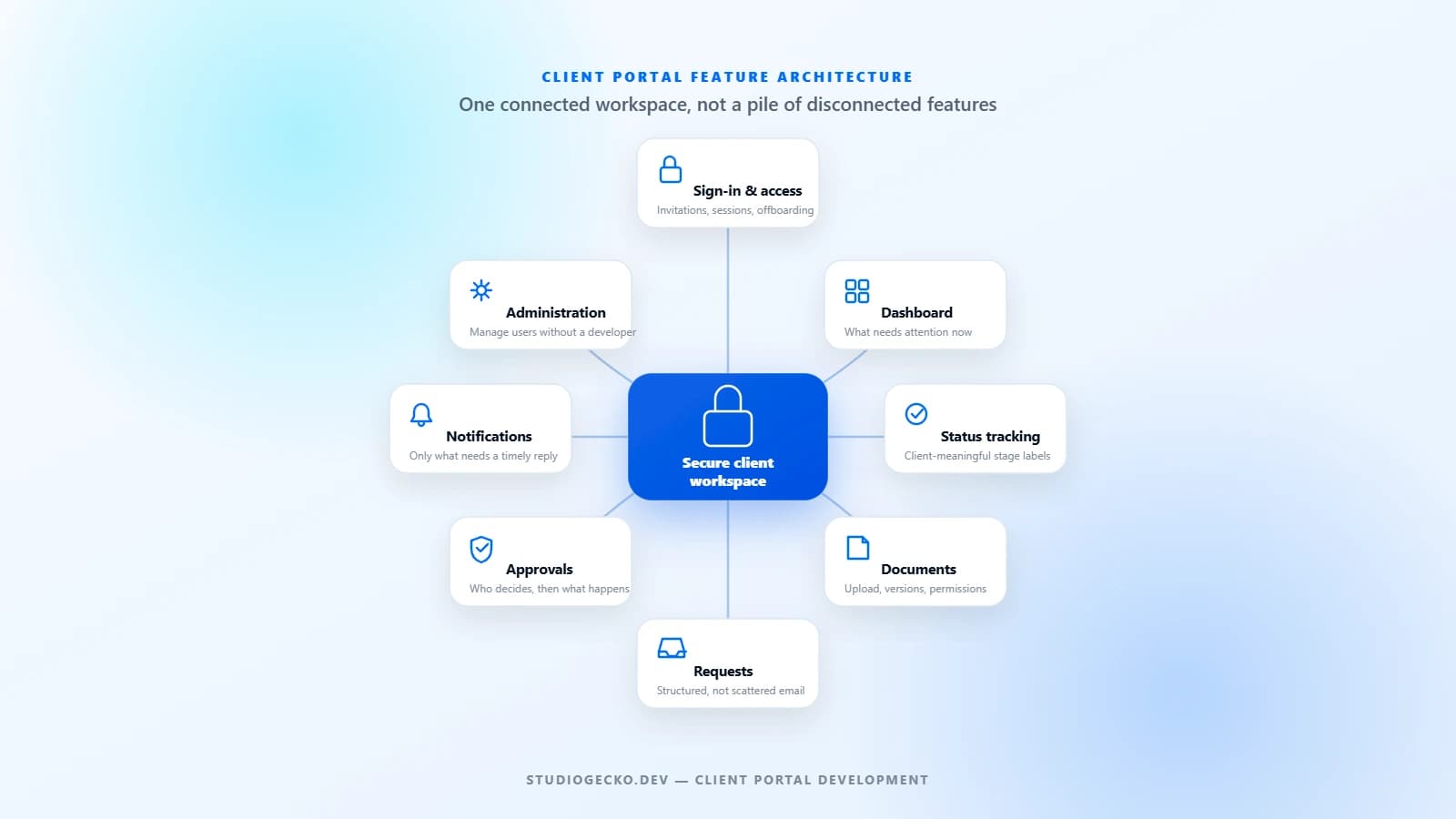
A useful client portal is not a collection of impressive features. It is a controlled workspace built around the real tasks clients and internal teams need to complete together.
Business Automation
business automation for small businesses
What Is Business Automation and What Should You Automate First?
Business automation connects repeated steps so work moves with less manual effort. The best first automations are simple, valuable, and easy to verify.