
Business Automation
What Not To Automate In Your Business
Automation is powerful, but bad automation is expensive. The goal is not to automate everything. It is to automate the right work and keep the right work human.
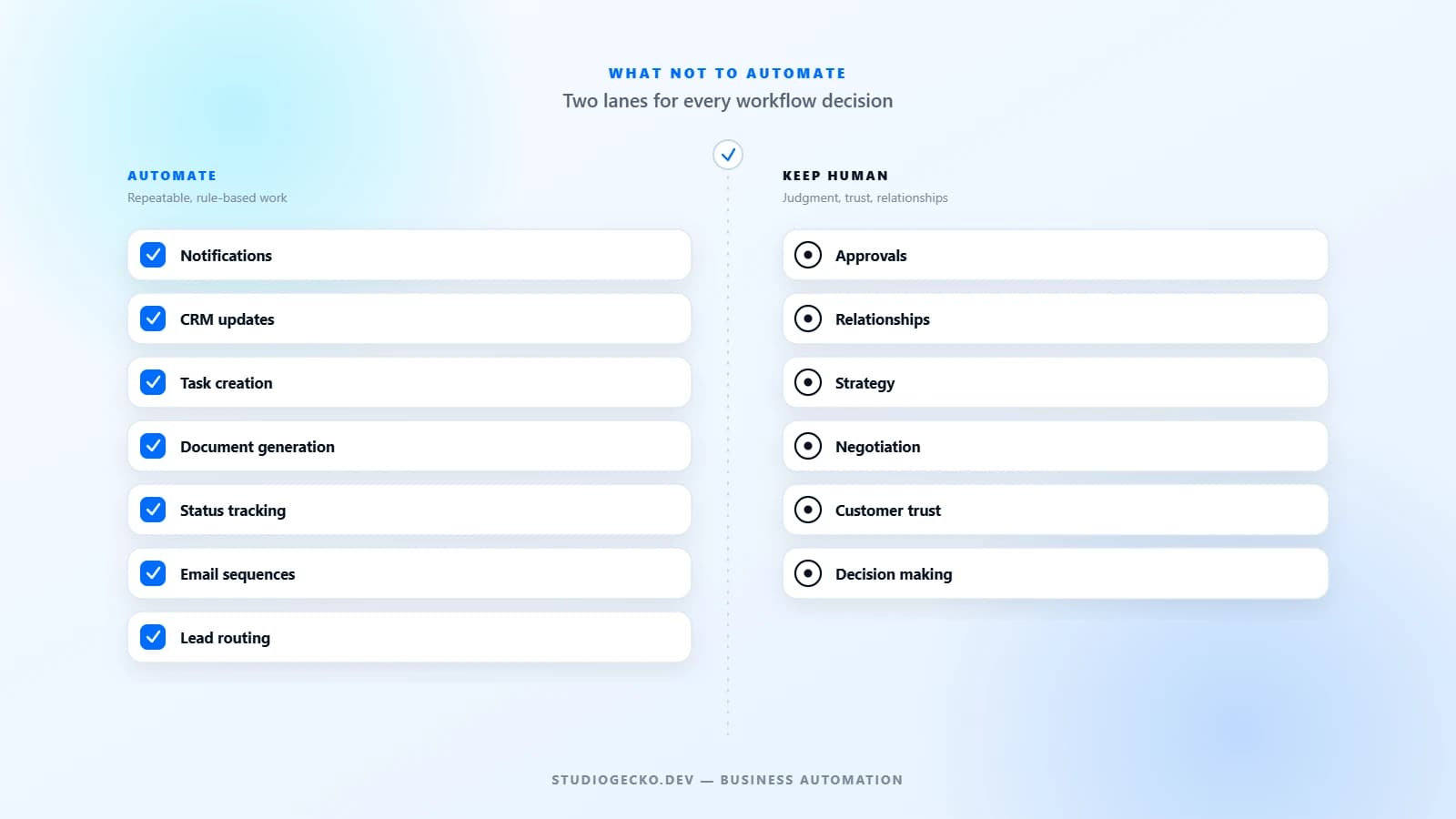
The short answer
Automation removes repetitive work. It does not replace good decision making. Automation is genuinely powerful when it takes a predictable, well-defined task off someone's plate, and genuinely expensive when it is pointed at the wrong task.
Many automation projects fail for a simple reason: the business automated a broken process, a sensitive judgment call, or a moment that depended on a real conversation. The software did exactly what it was told, and the result was faster, more consistent damage.
This is not an argument against automation. It is an argument for choosing carefully. The businesses that get the most value from automation are usually the ones that also know what to leave alone.
Automate repetitive work, not relationships
The clearest automation candidates are steps that happen the same way every time, regardless of who is involved. The moment a task depends on reading a person, it stops being a good candidate.
| Good to automate | Better left human |
|---|---|
| Copying data between systems | Relationship building |
| Notifications and status updates | Complex negotiations |
| Reminders for pending tasks | Difficult conversations |
| Document generation | Earning and keeping trust |
None of the items on the right are things software does badly because it is immature. They are things that are not really tasks at all. They are judgment, tone, and trust, applied in a specific moment.
Don't automate your first customer conversation
Every lead is different, even when the inquiry form looks identical. Two people can submit the same request for very different reasons, with different urgency, budget, or context that only comes out in conversation.
Early conversations are where that nuance surfaces. Automation can support this moment well: routing the inquiry to the right person, confirming it was received, and giving staff the context they need to respond quickly. What it should not do is stand in for the first real conversation, especially when the business is trying to understand a new relationship rather than process a known transaction.
A useful test: if the automated reply is doing the work a person would normally do on a first call, it has moved from support to replacement.
Avoid automating exceptions
Every business has a normal path and a set of edge cases: the unusual request, the special pricing situation, the customer whose circumstances do not fit the standard workflow. These exceptions are exactly where automation tends to cause the most damage, because they are the cases it was never designed to handle.
- Unique or one-off requests that do not match a standard category.
- Special pricing, discounts, or terms outside the normal range.
- Complex approvals that depend on more than one factor.
- Situations where the customer's history or context changes the right answer.
These moments usually need a person to look at the full picture and decide. Automation can flag that an exception exists. It should rarely be the thing that resolves it.
Don't automate a broken process
If a workflow is inconsistent, confusing, or already causing problems, automation will not fix it. It will simply perform the same mistakes faster and with more confidence, because nobody is pausing to notice something looks wrong.
This is often the real reason an automation project stalls. It was never a technology problem. The workflow underneath needed to be defined before it was worth wiring up.
Keep important approvals human
Some decisions carry enough weight that a human should be the one making the final call, even if automation helps gather the information that goes into it.
- Large discounts or non-standard pricing.
- Refunds, especially outside a defined policy.
- Legal approvals or anything with contractual weight.
- Financial decisions above a routine threshold.
- Sensitive customer issues, complaints, or disputes.
Automating the paperwork around an approval, such as routing it to the right person or tracking its status, is genuinely useful. Automating the approval itself, for anything on this list, usually is not.
Use automation to prepare people, not replace them
The most durable automations act like a good assistant: they collect information, summarize it, route it to the right place, and prepare documents, so the person making the decision starts from a clearer position instead of a blank page.
This framing changes how a workflow gets designed. Instead of asking, "can this be fully automated," the better question is, "what would help the person handling this make a faster, better decision." Sometimes the honest answer is a summary and a clear next step, not a final action taken on their behalf.
Where automation creates the most value
None of this means automation should be avoided. Most businesses have real, everyday work that is well suited to it, and leaving it manual is its own kind of cost.
- CRM updates when a record, stage, or status changes.
- Email sequences for confirmations, reminders, and routine follow-up.
- Proposal or document generation from known inputs.
- Task creation when a request or trigger comes in.
- Appointment reminders and scheduling notifications.
- Lead routing to the right person or team.
- Client portal updates for requests, files, and status.
- Status tracking visible to staff or clients.
- Invoice reminders for upcoming or overdue payments.
- Internal notifications when something needs attention.
These workflows share a pattern: the steps are predictable, the inputs are known, and a mistake is easy to notice and correct. That combination is what makes automation genuinely valuable rather than just technically possible.
Where AI still needs supervision
AI-assisted steps, such as drafting a reply, summarizing a document, categorizing a request, or suggesting a next action, can genuinely speed up real work. They are also still prone to getting details wrong in ways that are not always obvious at a glance.
The practical approach is not to avoid AI assistance, and it is not to trust it blindly either. Drafts, summaries, categorizations, and recommendations should still be reviewed by a person before they reach a customer or influence a decision, particularly anywhere personal information, money, or a relationship is involved.
Build gradually
Automation programs that succeed tend to grow the same way: start with one workflow, measure whether it actually helped, improve it, and only then expand to the next one. Automation programs that struggle tend to start with a long list of everything that could theoretically be automated at once.
A single well-run automation, clearly understood by the team, is worth more than five that nobody can fully explain. Momentum comes from that first workflow working reliably, not from the size of the initial rollout.
Questions to ask before automating
Before automating a workflow, walk through these questions with the people who actually do the work today.
- Is this task repetitive, and does it happen often enough to matter?
- Does it follow clear, consistent rules, or does it depend on context?
- Does it require empathy, negotiation, or reading a person?
- Could a mistake here damage trust with a client or customer?
- Can the process be clearly standardized and explained end to end?
- Who will own this workflow after it launches, and how will failures be noticed?
If the honest answers point toward judgment, relationship, or risk, that is useful information. It usually means the task belongs on the human side of the workflow, at least for now.
Common automation mistakes
| Mistake | Why it backfires |
|---|---|
| Automating poor onboarding | It delivers a confusing first experience faster and more consistently. |
| Sending too many emails | Notifications lose meaning and important messages get ignored. |
| Removing human contact entirely | Customers can tell, and complex situations no longer have anywhere to go. |
| Ignoring exceptions | Edge cases pile up unresolved or get forced through the wrong path. |
| Not measuring results | Nobody notices when an automation is quietly doing more harm than good. |
Most of these mistakes come from the same root cause: treating automation as a finish line instead of a workflow that still needs attention, ownership, and the occasional human check-in.
Good automation feels invisible
When automation is applied well, customers rarely notice the technology behind it. They notice that their request was handled quickly, that someone followed up when expected, and that the parts requiring a real person got a real person.
That is the actual goal. Not more software, and not automation for its own sake, but better service, built by automating the right work and protecting the parts of the business that depend on people.
Article FAQ
Does automation always save time?
Only when it is applied to a task that is repetitive, well understood, and low risk if something goes wrong. Automating a broken or ambiguous process usually creates more cleanup work, not less.
Should small businesses avoid automation?
No. Small businesses often benefit the most from automating routine tasks like reminders, notifications, and status updates, since there are fewer people available to catch missed follow-up manually. The key is choosing the right first workflow, not avoiding automation altogether.
What is the biggest automation mistake businesses make?
Automating a process before it is clearly defined. If the team cannot explain a workflow step by step, including what happens when something goes wrong, that clarity needs to come first.
Related services, industries, and examples
Continue with the commercial pages that connect this article to actual website, automation, portal, and maintenance decisions.

Written by
About the author
Yhorman Ibarra
Founder & Lead Developer
Yhorman Ibarra is the Founder & Lead Developer of studiogecko.dev, a digital product studio specializing in conversion-focused websites, custom SaaS platforms, CRM systems, and business automation. With more than 10 years of experience, over 100 websites built, and seven SaaS tools developed across multiple industries, he focuses on creating digital products that help businesses grow, not just look good.
Next step
Ready to automate the right things?
Discuss which workflows are ready for automation and which still need a human touch. If you are still mapping out the broader system, start with the Solution Planner instead.
Discuss Business AutomationRelated articles
All articles
Business Automation
business automation for small businesses
What Is Business Automation and What Should You Automate First?
Business automation connects repeated steps so work moves with less manual effort. The best first automations are simple, valuable, and easy to verify.
CRM Development
CRM requirements checklist
CRM Requirements Checklist Before You Build or Configure
A useful CRM plan starts with the people, records, decisions, and handoffs the system must support, not a generic list of features.
Client Portals
client portal features checklist
Client Portal Features Checklist: What Should Your Portal Actually Include?
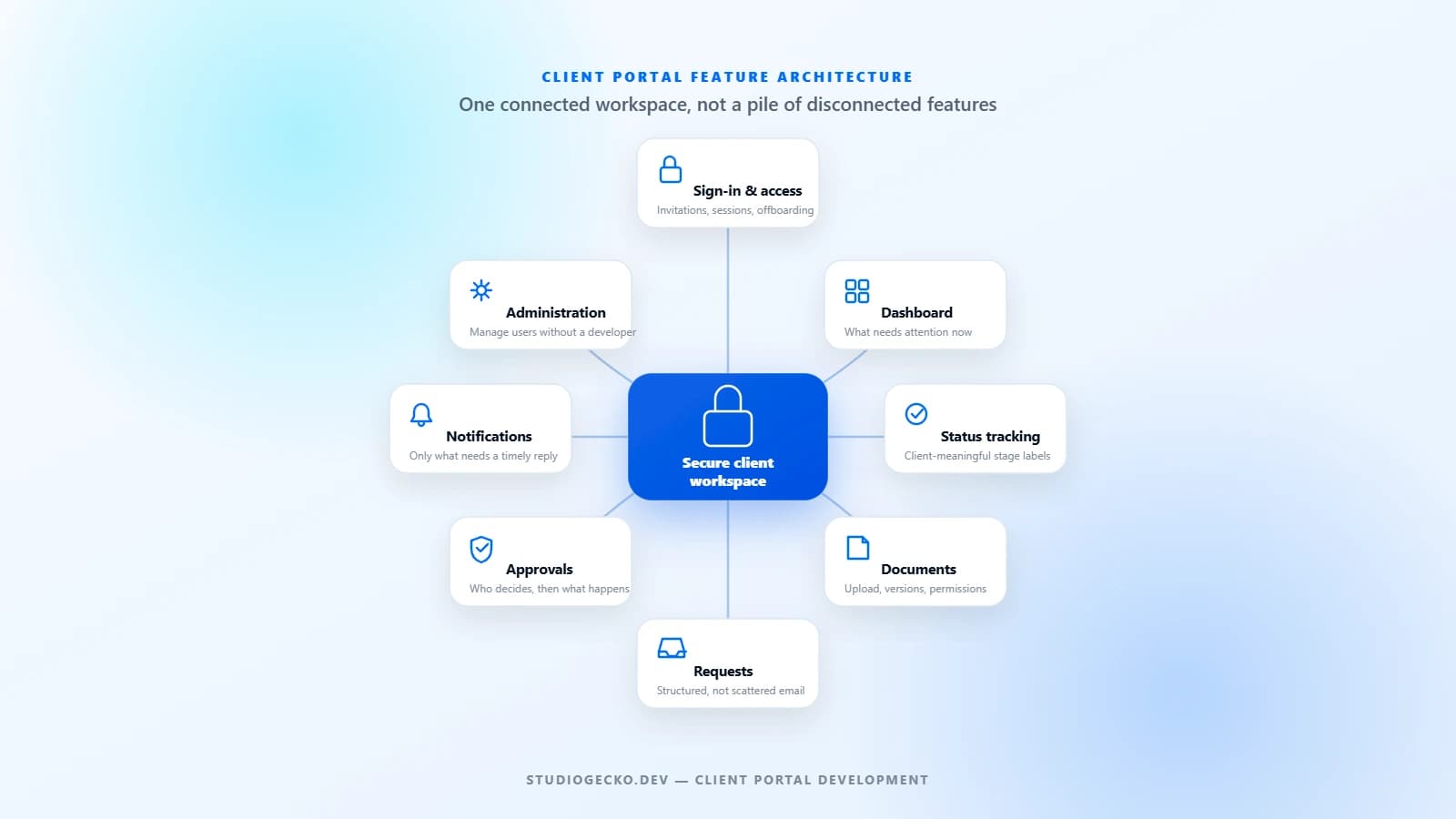
A useful client portal is not a collection of impressive features. It is a controlled workspace built around the real tasks clients and internal teams need to complete together.